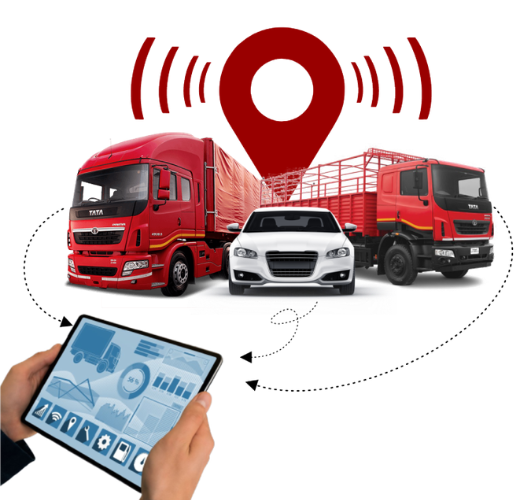
Gaadi Bachao vehicle tracking dashboard showing live GPS location, routes and alerts
Gaadi Bachao · Vehicle Tracking

Know where every vehicle is — live, accurate, and actionable.

Gaadi Bachao's GPS Vehicle Tracking gives you real-time location, route playback, trip insights, and alert automation across your entire fleet. From one vehicle to thousands — everything stays visible from one dashboard.

Stop guessing and start controlling operations with geofencing alerts, driver behavior insights, ETA monitoring, and smart reports that reduce fuel waste, delays, and misuse.

Get a free demo

Key Features

Everything you need to run a tighter fleet — without extra staff

Live GPS Tracking

Track every vehicle in real-time with fast refresh, accurate location pinning, and live status (moving, parked, idle).

Trip History & Route Playback

Replay any trip with timestamps, speed, stoppages, and route deviations. Export trip reports for audits and compliance.

Geofencing Alerts

Create unlimited geofences for depots, schools, sites, and restricted zones. Get entry/exit alerts instantly.

Smart Alerts

Overspeed, harsh braking, long idling, ignition on/off, towing, and unauthorized movement alerts — via dashboard & notifications.

Stoppage & Idle Monitoring

Spot time-wasting fast. Identify excessive idling, long stoppages, and route delays that impact productivity and cost.

Driver & Fleet Insights

Driver behavior scoring, usage patterns, and performance insights that help reduce accidents and improve discipline.

Mobile App Access

Track vehicles from anywhere. Owners and managers can monitor routes, alerts, and vehicle health from mobile.

API & System Integrations

Integrate with PA systems, CCTV triggers, attendance, ERP, and logistics systems through APIs and event triggers.

Where It's Used

Built for transport, logistics, institutions, and smart city mobility
01

Logistics & Delivery Fleets

Track route progress, reduce delays, prevent misuse, and improve on-time deliveries with live ETAs and exception alerts.

02

School & College Transport

Live bus tracking, pickup/drop visibility, route discipline, and safety alerts to improve parent trust and operational control.

03

Public Transport & Depots

Monitor depot entry/exit, route adherence, and schedule compliance for buses and municipal fleets — with scalable dashboards.

04

Construction & Project Vehicles

Track site movement, prevent off-route trips, and keep a record of working hours and idle time for equipment fleets.

05

Waste Collection Operations

Route compliance, ward coverage monitoring, and shift performance tracking for waste collection vehicles.

06

Corporate & Staff Transport

Track pickup routes, monitor delays, and improve service reliability for employee transport operations.

How It Works

From installation to your first tracked vehicle in 4 simple steps
01

Requirement Mapping

We map your fleet size, reporting needs, routes, and alert rules — then propose the best device and dashboard setup.

02

Device Installation

GPS device is installed professionally. Power wiring and SIM/network checks are completed for stable tracking.

03

Dashboard Setup

Vehicles, users, geofences, alerts, and reports are configured. Your team gets access and training for day-one usage.

04

Go Live & Optimize

Track live, review trip patterns, tune alerts, and improve route discipline using insights and automated reporting.

Technical Specifications

Device and platform details for operations and IT teams
Specification Details
Tracking Type Real-time GPS tracking with history & playback
Positioning GPS + LBS support (based on device/network)
Update Frequency Configurable (e.g., 5–30 seconds live; adaptive on movement)
Network 4G/2G (device dependent), fallback supported
Core Features Live tracking, route history, geofencing, alerts, reports
Alerts Overspeed, ignition, tow, movement, idle, low battery (device dependent)
Dashboard Access Web browser + mobile app (Android/iOS)
Reports Trip summary, stoppage, idle, speed, distance, route exceptions
Geofence Capacity Unlimited zones (circles/polygons), vehicle-wise rules
Integration REST API, event triggers, exports
Data Retention Configurable retention policy based on plan
Installation Time Typically 30–60 minutes per vehicle (standard wiring)

What Our Clients Say

Real improvements in control, safety, and efficiency

"We reduced route delays and unauthorized trips within the first week. The live tracking and stoppage reports make it obvious where time is being wasted."

— Rakesh Mehta, Fleet Manager, Delhi Logistics

"Parents started trusting our transport service again because we can share accurate tracking and timing. Alerts helped us fix overspeed issues quickly."

— Neha Kapoor, Admin Head, School Transport (NCR)

"We manage multiple sites. Geofences + route playback gave us full control and clear proof for audits. Support team was fast and practical."

— Pradeep Singh, Operations Lead, Site Mobility

Frequently Asked Questions

Quick answers before you deploy tracking in your fleet
Can I track vehicles on mobile as well as desktop?
Yes. You get access through a web dashboard and mobile apps so you can track live vehicles, alerts, and reports from anywhere.
Does tracking work if the vehicle goes into low-network areas?
In low coverage, updates may slow. Most devices buffer location points and sync history once the network returns, so you still get full trip playback.
Can I get alerts for overspeed, long idling, or route deviation?
Yes. You can configure overspeed, idle, ignition, towing, geofence entry/exit, and route-related alerts based on your operating rules.
Can multiple team members access the same fleet?
Yes. You can add multiple users with role-based access — owners, managers, and operators — so everyone sees what they need.
How long does installation take per vehicle?
Typically 30–60 minutes per vehicle depending on wiring and device type. We also provide fleet-wise rollout support for large deployments.

Ready to control your fleet in real-time?

Get a free demo and setup plan. We’ll recommend the right device + dashboard configuration for your fleet size and use-case.

Book a free demo Explore Fuel Monitoring